
This article was published in The Hamilton Spectator on September 15, 2016. It was the first piece I have written for their Go section and am really proud of the level of detail The Spec was willing to print on this story. I provided both this story, as well as the supplementary material so that people could learn about this situation, but also find ways to better protect themselves. The entire story can be read on their website, or in print of course, but I have also printed it below complete with some graphics that didn’t fit in the print layout.
Since 2003 there have been data breaches at some of the biggest, and most widely used websites in the world. AOL had 92 million screen names and email addresses copied by an employee and sold to spammers. In 2011 Sony’s Playstation Network had the detailed information for 77 million users of their service taken through a very public hack. Other notable hacks over the past several years have seen the personal details of 145 million eBay users stolen in 2014, and in 2012, 164 million users of LinkedIn had their information stolen. The largest loss in recent memory, belongs to former social networking giant MySpace with a hack resulting in the loss of 427 million user accounts.
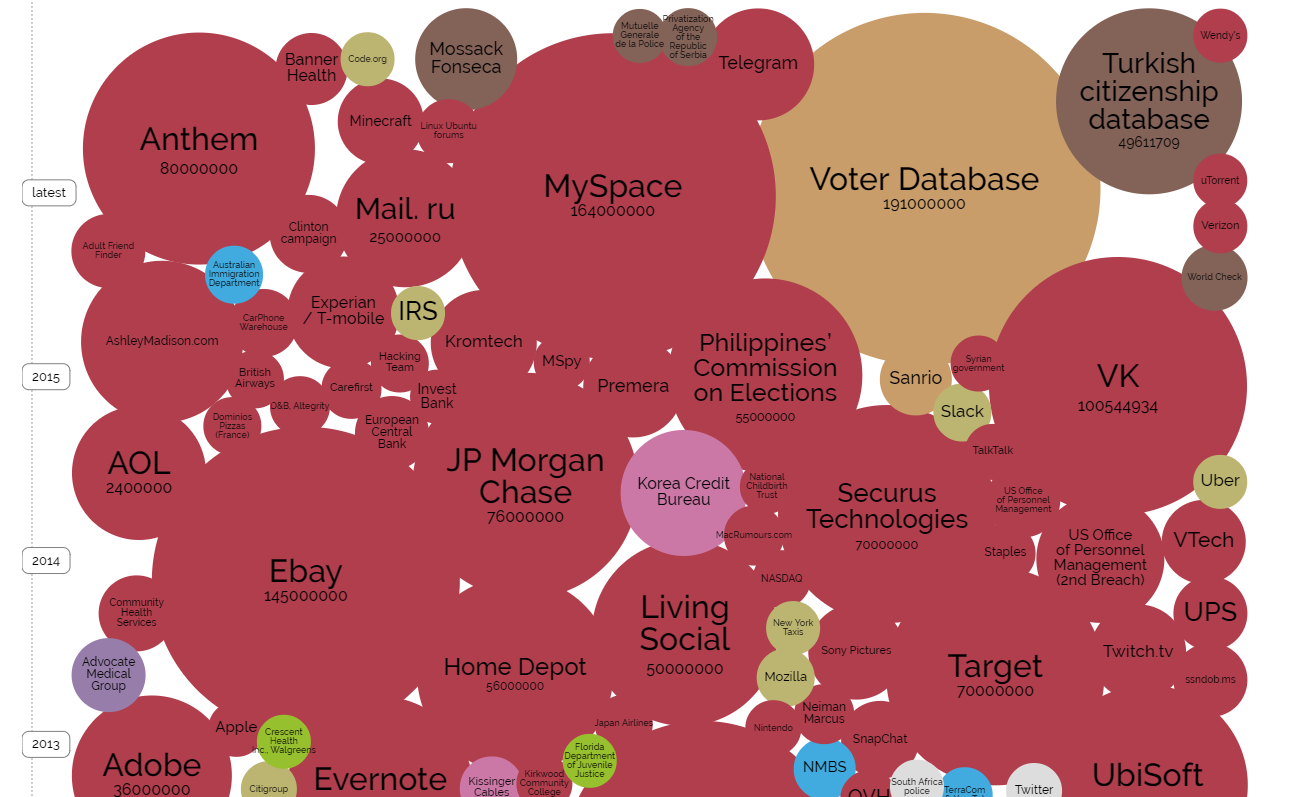
A graphical representation of data breaches displayed by the number of records breached. Red circles represent data stolen through a hack. See the whole picture at Information is Beautiful
It may not seem like a big deal to some that their LinkedIn or MySpace password may be in the hands of hackers, and maybe it wouldn’t be if most users didn’t use the same or very similar passwords for every site they visit. Unfortunately for a great many, this is not the case. The loss of personal details on an old site like MySpace may give hackers email addresses and password combinations that are in use on other sites including our email, social networking, and even banking and credit card accounts.
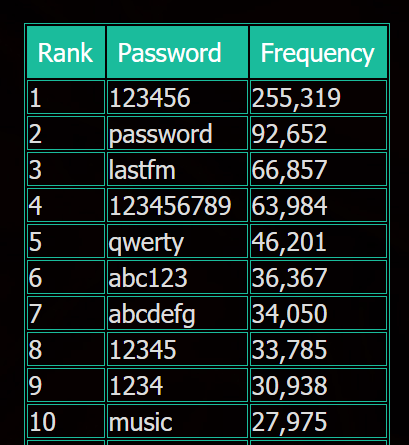
The top ten passwords used on LastFM according to security researchers Leaksource.com
The dangers posed by such vast data “dumps” are greater than just the loss of your personal information. When hackers get their hands on lists of usernames and passwords they also learn about the types of passwords people are using, and use that information to make hacks easier in the future. When the encrypted password table is found it can be downloaded and sorted. When hackers look at the frequency of the encrypted passwords and compare them with the most common passwords in use, it makes breaking the entire encryption sequence exponentially easier. In other words: your lousy password is hurting more than just you. It’s making us all less safe.
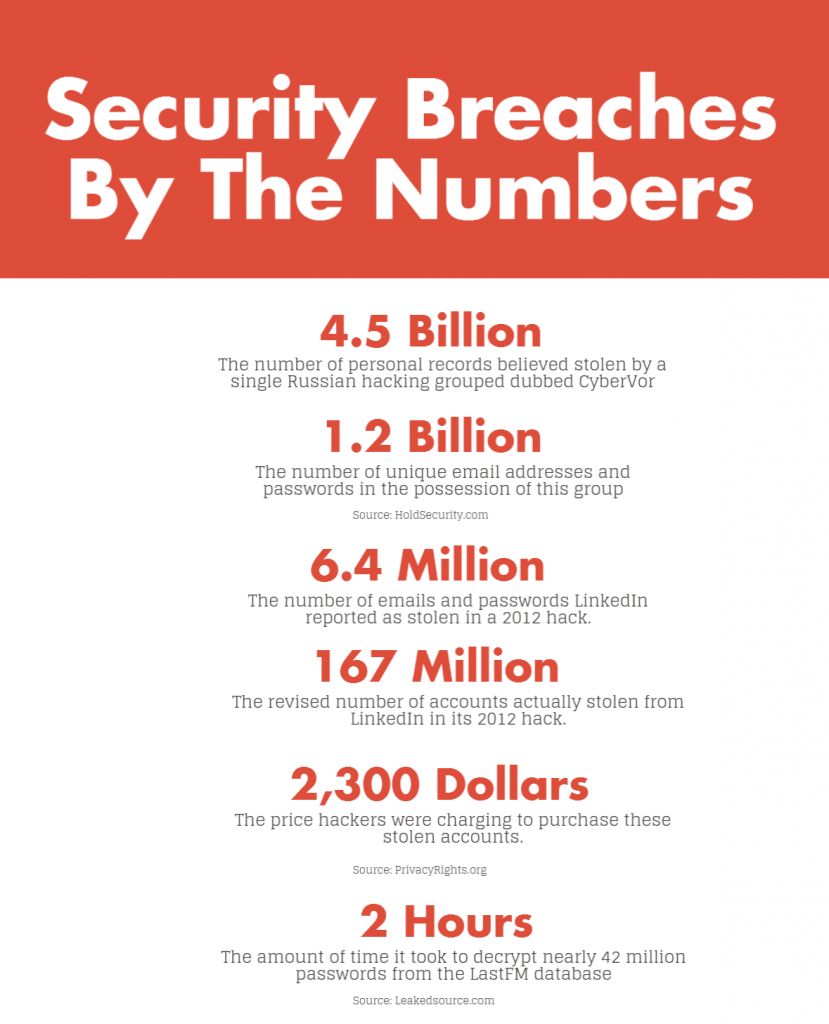
In 2012, LastFM a popular streaming music site was hacked, and over 43 million users had their data taken. LastFM’s security was so poor that it took researchers at Leakedsource.com just two hours to crack 96% of the encrypted passwords in the database. The researchers found the top three passwords were: 123456, password, and LastFm.
The dangers posed by such vast data “dumps” are greater than just the loss of your personal information. When hackers get their hands on lists of usernames and passwords they also learn about the types of passwords people are using, and use that information to make hacks easier in the future. When the encrypted password table is found it can be downloaded and sorted. When hackers look at the frequency of the encrypted passwords and compare them with the most common passwords in use, it makes breaking the entire encryption sequence exponentially easier. In other words: your lousy password is hurting more than just you. It’s making us all less safe.
In 2012, LastFM a popular streaming music site was hacked, and over 43 million users had their data taken. LastFM’s security was so poor that it took researchers at Leakedsource.com just two hours to crack 96% of the encrypted passwords in the database. The researchers found the top three passwords were: 123456, password, and LastFm.
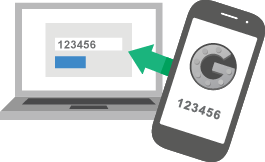
Google Offers an app called Authenticator which can be used for many websites including Google and Facebook.
The other way I protect myself is by using what is known as two-step verification. The process is simple. Along with your password you use a code that is either sent to you via a text message or generated using a tool on your mobile device. Apple and Google both offer two-step verification to help protect your accounts from unauthorized use, and more companies are adding this feature every month. You can see a list of popular websites and services at http://twofactorauth.org that offer this level of protection. While many banks in the US and UK are offering this security, other than HSBC no one else in Canada seems to be offering this yet. This is leaving Canadians to be secured by very weak (and often short) passwords.
While two step verification can help keep you safer, it must be implemented correctly to provide protection. Security researchers recently uncovered a method of stealing the “token” produced by these generators using a malicious application that could be installed on your phone. The researchers suggest using a generator that requires a PIN number before starting the application. Lastpass already offers this additional step with their authenticator and other developers will likely add this in the future.
How You Can Protect Yourself
Two Step Verification
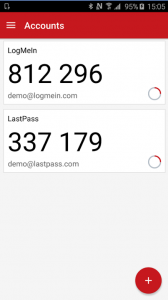 of just your password. This works with either an app that generates a new number every 30 seconds or by sending a text message to your phone.
The Authenticator app (shown right) from LastPass adds additional protection by forcing the user to enter a PIN or unlock the app with a fingerprint each time it is used.
Security researchers suggest using a PIN or other method to lock down an authenticator app in order to prevent the “token” from being stolen by a malicious app.
Password Managers
Lastpass
The free version can be downloaded at lastpass.com and works on Windows and Macintosh as well as Linux. The premium version which sells for $12USD per year allows you to access your passwords on your smartphone using their app. You can also share passwords with family members without actually having to tell them what it is. The password will be stored encrypted for you or with whomever you choose to share it. Upgrading to the premium version also allows you to install the mobile app so that you can have your passwords when you’re on the road as well.
The passwords are stored on your computer in an encrypted format using AES-256 bit keys as well as PBKDF2. AES-256 is accepted by the US Government for protecting top secret data.
1Password
Another popular password manager is 1Password. Like LastPass, it stores your passwords using high level encryption and can make the process of generating and storing passwords easier than trying to come up with something different and remembering it for every website you visit. 1Password is a little pricier than Lastpass at $36USD a year but offers you the opportunity to try it out free for six months. 1Password also uses AES-256 encryption to protect your passwords.
Keepass
For the advanced user who doesn’t want to trust their passwords to an outside third party company there’s KeePass Password Safe. KeePass is a totally free and open source product which means developers can even review and make changes to the source code if they wanted to. KeePass may be a little more challenging than the above commercial products but it still works great.
It encrypts and stores your passwords locally on your home computer.

Leave A Comment